

Select an organisation in the ODC Business Service - organisation context selection
Organisation Context Selection lets users linked to multiple organisations choose which one to access when signing in to the ODC Business Service via the Health Business Services (HBS) portal.
Select which organisation you want to access when signing in to the portal
The ability to select which organisation you want to access via the organisation context selector will only appear for users listed as a contact for two or more organisations.
- Sign in to the HBS portal. Select the ‘Office of Drug Control’ tile on the HBS homepage. If you are only associated to one organisation, you will bypass the ‘Select an organisation’ page and be directly taken to the ODC Business Service home page.
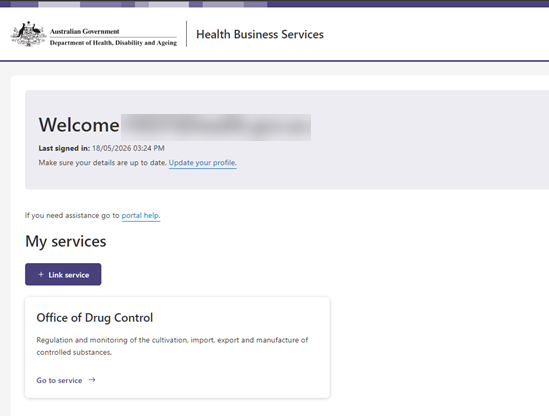
Screenshot of the Health Business Services (HBS) portal homepage, showing the ODC Business Service tile
- Once the tile is selected, you will be presented with a ‘Select an organisation’ dropdown menu.

- Select the organisation from the dropdown menu that you wish to act on the behalf of and click the ‘Continue’ button.

Screenshot of the ‘Select an organisation’ menu, with an organisation selected and the ‘Continue’ button now accessible.
- Once you click continue, you will be presented with the following loading message. Wait while the page loads.
- After your profile has loaded, you will be directed to the ODC Business Service homepage. To confirm the organisation you are representing, check the top right-hand corner of the page and see the organisation’s details in a purple box.
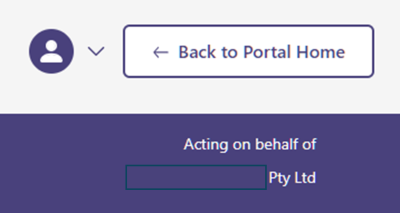
Screenshot of purple box displaying the active organisation you have selected.
Select a different organisation while logged into the portal
While logged into the portal, you can switch to a different organisation.
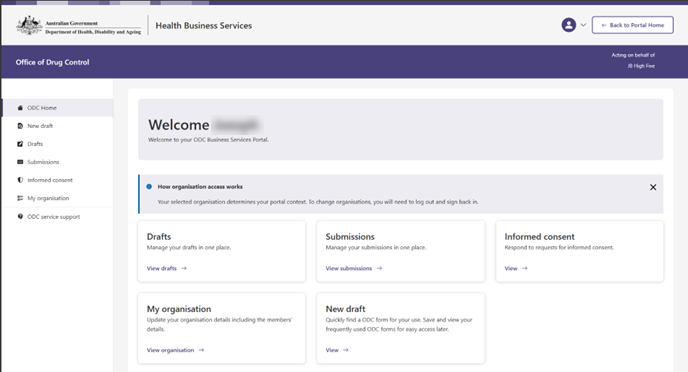
- If you are linked to more than one Business Service, you will need to get to the HBS homepage. From anywhere in the portal, select the ‘Back to Portal Home’ button located at the top right of the screen.

Screenshot of ODC Business Service homepage, with ‘Back to Portal Home’ button in the top right corner.
- Once selected, you will be taken back to the HBS homepage.
Screenshot of the Health Business Services (HBS) portal homepage, showing the ODC Business Service tile.
- Select the ‘Office of Drug Control’ card on the HBS homepage.
- Once the tile is selected, you will be presented with a ‘Select an organisation’ dropdown menu

- Select the organisation from the dropdown menu that you wish to act on the behalf of and click the ‘Continue’ button.

Screenshot of the ‘Select an organisation’ menu, with an organisation selected and the ‘Continue’ button now accessible.
- Once you click continue, you will be presented with the following loading message. Wait while the page loads.
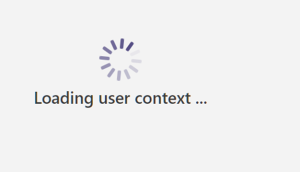
After your profile has loaded, you will be directed to the ODC Business Service homepage. To confirm the organisation you are representing, check the top right-hand corner of the page and see the organisation’s details in a purple box.
Screenshot of purple box displaying the active organisation you have selected.