

Complete an informed consent application
Instructions for accessing and completing the informed consent form for medicinal cannabis and narcotic drug licence applications in the portal.
Informed consent authorises us, to obtain information about an individual named in a licence application under the Narcotic Drugs Act 1967.
If you have a relationship with an applicant that may be relevant to the assessment, we will request that you complete an Informed consent form. This consent allows information about you to be obtained from third parties, including Commonwealth, State or Territory agencies and law enforcement bodies.
If you are not already a member of the applicant’s organisation, you will receive an email invitation with instructions and a code to join.
For further guidance see Accepting an invitation.
- After joining, the applicant can nominate you in their application. You will receive a second email, with instructions, requesting completion of the Informed consent form.
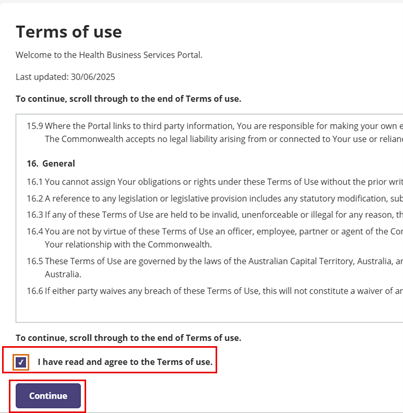
- Once you log in, the Terms of use page appears. Tick the box to confirm you’ve read and agree, then select Continue.
- The welcome page will open.
If you:
- have previously used the portal proceed to Step 6
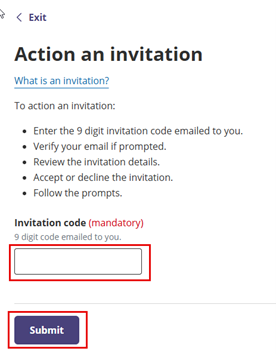
- are accessing for the first time, scroll down to ‘Invitations’ and select the Action invitation button.

- Enter the 9 digit code from the invitation email into the provided field and click Submit.
- The page will display the invitation details and a mandatory declaration section.
You must:
- open and read both linked documents under the declaration heading
- check both boxes under the declaration heading
- click Select.
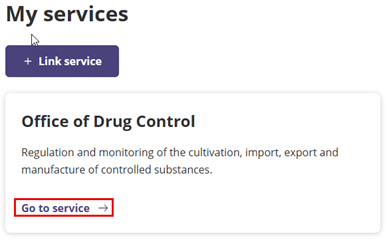
- The Health Business Services (HBS) portal will open. It will display a tile for each service you are linked to. Select Go to service on the Office of Drug Control tile.
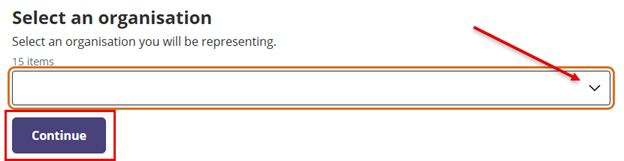
- If you represent multiple organisations, you will need to choose which one you are representing. Use the drop down menu to see the list of organisations, select the correct option, click Continue.
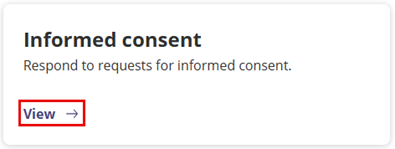
- On the ODC Home page, select View on the 'Informed consent' tile.
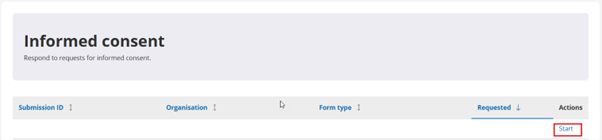
- The ‘Informed consent’ page will open and display a table that lists your informed consent form(s). Choose the applicable form by selecting Start under the ‘Actions’ column.
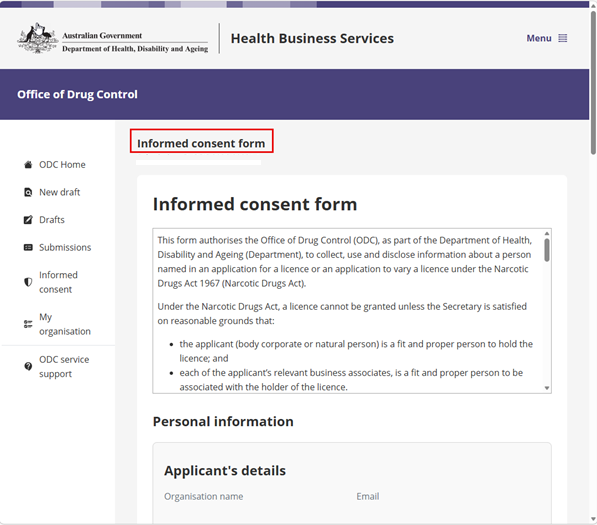
- The Informed consent form will open. Complete the required details.
Note: This is a one-page form. Please complete it in one session as the details you enter will not be saved if you close the form before submission.
- Complete all questions and select the Submit button at the bottom of the page.

The page will display confirmation of successful form submission and a reference number.
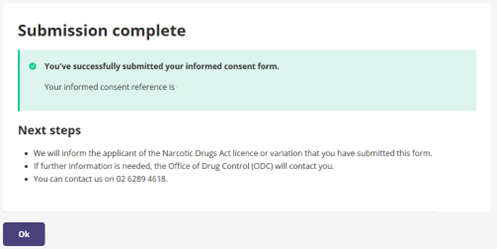
Note: The request will no longer be visible in the ‘Informed consent’ table.
Email samples
Email 1 – Join an organisation
Email is sent from: No-reply - Health Business
Services<noreplyHBS@development.health.gov.au>
Dear John Smith,
You are receiving this email because you have been invited to join the account for Smith Strategies Pty Ltd in the Health Business Services portal.
To action the invitation, please follow these steps:
- Copy the URL below and paste it into your browser.
- Sign in or Register to be a Health Business Services (HBS) user.
- Select Action Invitation.
- Enter the code below.
- Follow the prompts.
URL: businessservices.health.gov.au
Your code: 200756241
Note: The invitation expires on 10/04/2026.
Additional information:
For further assistance, please contact our Support team at HBS.Support@health.gov.au or call 1800 041 182 or 02 6289 7595.
Kind regards,
HBS Support team
Stay cyber safe:
This email is auto-generated. Do not reply to this message.
Received this by mistake? If this email is not meant for you, contact HBS.Support@health.gov.au.
Sent by the Australian Government Department of Health, Disability and Ageing.
Email 2 – Informed consent request
Email is sent from: NoreplyODC<NoreplyODC@development.health.gov.au>
Smith Strategies Pty Ltd is applying for a Narcotic Drugs Act licence.
Licence application reference number: ODC-2026-00760-1
The applicant has listed you as someone whose relationship to the applicant may be relevant to the assessment of their licence application.
To support the application, the Office of Drug Control asks that you complete an informed consent form that will allow us to request information about you from third parties, such as Commonwealth, State or Territory agencies, and law enforcement.
The details the applicant provided about you are:
- John Smith
- John@smith.com.au
To complete the form:
- Copy and paste the URL below in your browser
- Sign in to Health Business Services (HBS)
- Select the ‘Office of Drug Control’ tile
- Select the ‘Informed consent’ tile
- Select ‘Start’ to launch and complete the form.
URL: businessservices.health.gov.au
If you choose not to complete an informed consent form relating to this application, advise the applicant.
Get help
If you are not sure why you got this email, contact the applicant, or the Office of Drug Control on 02 6289 4618 or at Contact us.